
Downloads
Every METAFILES app comes from dl.dmsvault.cloud/metafiles/, with a SHA-256 for each file so you can check it before installing.
All METAFILES apps are published on one page: https://dl.dmsvault.cloud/metafiles/. Each file is listed with its SHA-256 checksum, so you can make sure the file you downloaded is exactly the one published. The apps do not update themselves unless your IT team chooses that.
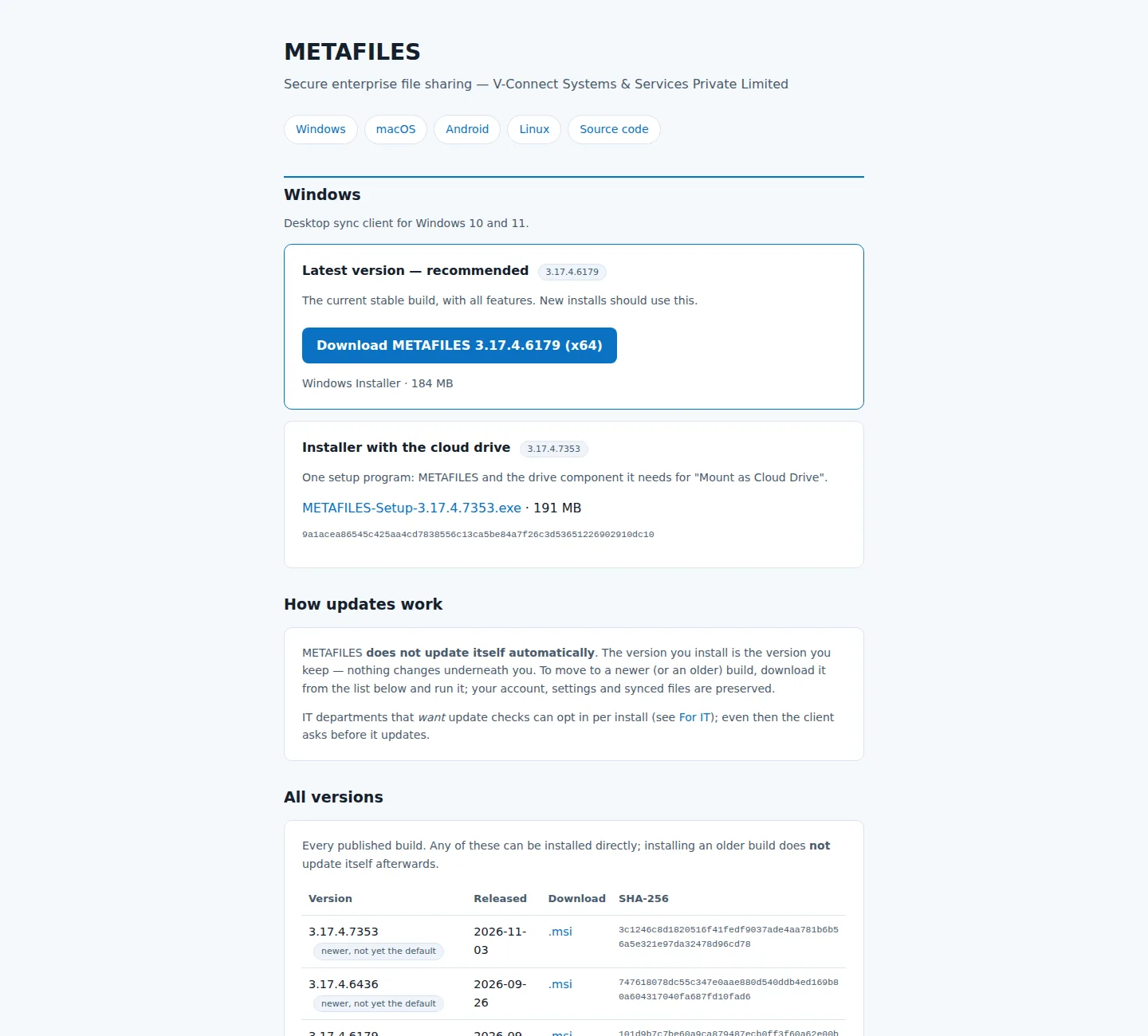 The download page: one section per platform, with versions and checksums.
1. Which file do I need?
| Your device | Download | Guide |
|---|---|---|
| Windows 10 or 11 | METAFILES-3.17.4.<build>-x64.msi |
Windows |
| Windows 10 or 11, with the streaming cloud drive | METAFILES-Setup-3.17.4.<build>.exe ("Installer with the cloud drive") |
Cloud drive |
| Windows 7 SP1, 64-bit | METAFILES-3.13.4.<build>-win7-x64.msi |
Windows 7 |
| Mac with Apple Silicon (M1 or later), macOS 12 or newer | METAFILES-3.17.4-b5.dmg |
macOS |
| Ubuntu or Debian | METAFILES-3.17.4.<build>-amd64.deb |
Linux |
| Other 64-bit Linux (glibc 2.28 or newer) | METAFILES-3.17.4.<build>-x86_64.AppImage |
Linux |
| Android 9 or newer | METAFILES-35.0.0.<build>-android-release.apk |
Android |
| iPhone or iPad | No app. Use the web portal. | Web portal |
Some platforms list more than one version. Take the newest unless your IT team says otherwise.
The page also has a For IT section, the code-signing certificate for Windows, a SHA256SUMS.txt file per platform, and the licences and source-code offer.
2. Check a download before installing
Compare the file's SHA-256 with the value on the download page:
| System | Command |
|---|---|
| Windows | certutil -hashfile METAFILES-<version>-x64.msi SHA256 |
| macOS | shasum -a 256 METAFILES-3.17.4-b5.dmg |
| Linux | sha256sum METAFILES-<version>-amd64.deb, or sha256sum -c against the platform's SHA256SUMS.txt |
| Android | Check the file on a computer with one of the commands above. The page also shows the app's signing-certificate fingerprint. |
If the values differ, do not install. Download the file again.
Windows: "Windows protected your PC"
The Windows installers are signed by V-Connect with its own (self-signed, timestamped) certificate. Windows SmartScreen therefore shows "Windows protected your PC" the first time. Click More info → Run anyway.
IT teams can remove the warning for the whole company by deploying the certificate file from the download page, V-Connect-CodeSigning.cer, to Trusted Root Certification Authorities and Trusted Publishers with Group Policy or Intune.
3. How updates work
- METAFILES does not update itself. The version you install is the version you keep.
- To change version, download the other build and run it. Your account, settings and synced files are kept. Going back to an older build is allowed.
- On Windows, IT can switch on update checks at install time (see Windows). Even then, the app asks before it updates.
- On Windows 7, do not switch on update checks: the update feed carries the Windows 10 and 11 version, which does not run on Windows 7.
- On Linux, the app can show a notice that a new version exists, but only if an update address has been set. It never downloads anything itself.
- On macOS there are no over-the-air updates: download the newer
.dmgand replace the app.
4. Licence and source code
The METAFILES apps are based on open-source software licensed under the GPL. The licence texts and the written offer for the source code are on the download page, and the licence files are installed with each app.